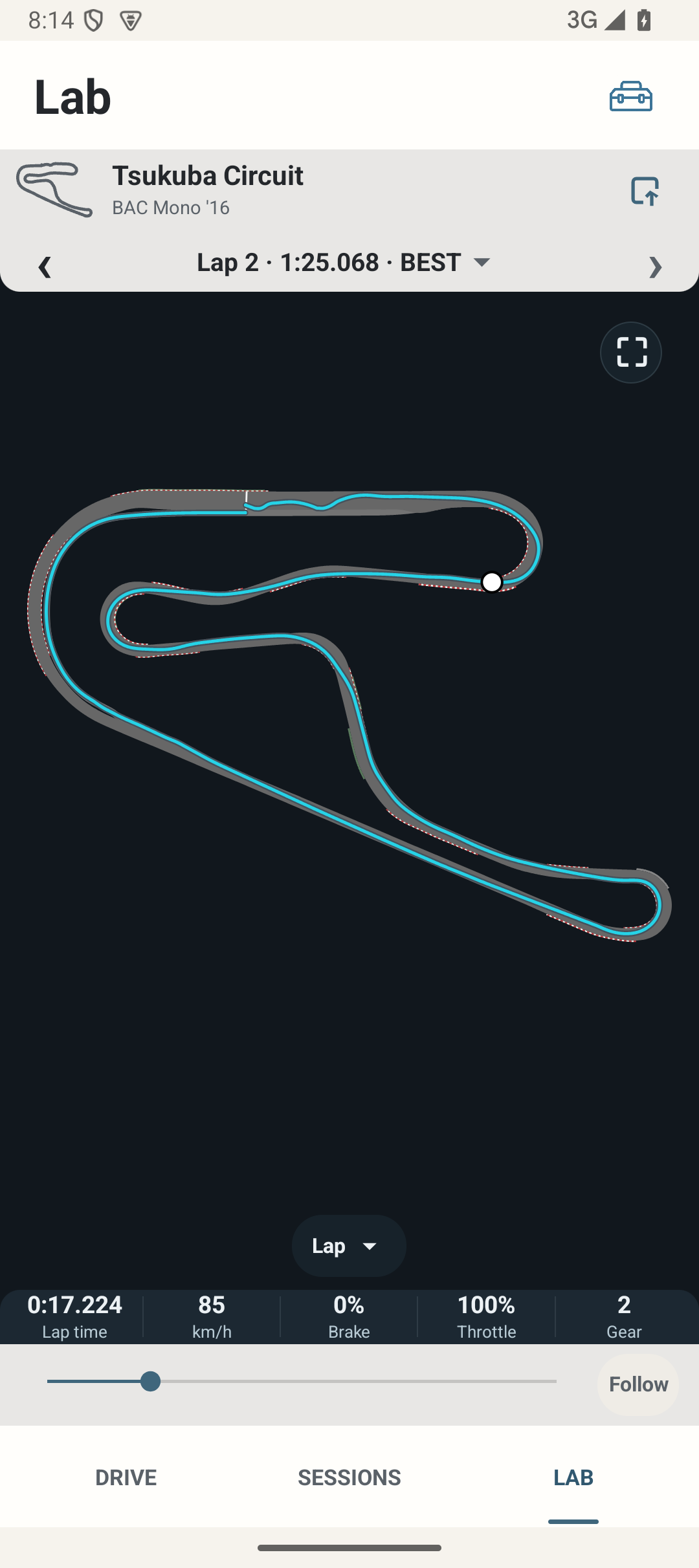
Where: Sessions → select Session → Analyse / OPEN IN LAB; or LAB → open a Session.
How to use it
- Select a Session with available detailed lap data, then a suitable lap. Wait for loading to finish before interpreting a blank map.
- Use the previous/next lap arrows or the lap list. Pit-related separators/classifications provide context; they are not optimal-driving advice.
- Use the fullscreen control for a wider map; Back or the collapse control returns to portrait. Current selection and custom viewport are retained where supported.
- Open session replaces the workspace deliberately. Returning from LAB entered through a Session returns to that Session context.
- If details are absent, read the unavailable message instead of treating a summary-only record as a complete trace. Import a package containing actual detail if you have one.
Options and defaults
Open session
- Default
- No initial workspace
- Options
- Choose Session/lap
- Meaning
- Available detail needed
Previous / Next lap
- Default
- Current selected lap
- Options
- Adjacent suitable lap
- Meaning
- Same Session context
Lap list
- Default
- Manual action
- Options
- Choose lap
- Meaning
- Shows available lap context
Fullscreen / collapse
- Default
- Portrait initially
- Options
- Expand / return
- Meaning
- Same selected telemetry point
How it works
Track LAB is an experimental local telemetry workspace. The map, time scrubber and statistics inspect actual retained points. Display context and any derived boundary states remain distinct from raw samples.
Limitations
Historical traces can have incomplete start/finish evidence or gaps. LAB does not invent missing packets. Some records lack a trustworthy time axis or reference. These limits remain visible rather than being replaced with fabricated values.